How NSFW Image Detection Works: AI-Powered Content Safety for the Modern Web
The internet generates an estimated 3.2 billion images every day. For platforms that host, share, or process user-generated content — from social media networks and messaging apps to e-commerce marketplaces and educational platforms — automatically detecting and filtering Not Safe For Work (NSFW) content is not just a technical challenge, it is a legal and ethical imperative. NSFW image detection technology uses artificial intelligence to classify images across a spectrum of safety levels, enabling automated content moderation at a scale that would be impossible for human reviewers alone.
DuplicateDetective's NSFW Checker provides free, instant content safety analysis for any image you upload. This article explains the technology behind NSFW detection, its real-world applications, and best practices for implementing content safety in your workflows.
The Technology Behind NSFW Image Classification
Convolutional Neural Networks (CNNs)
The foundation of most NSFW detection systems is the convolutional neural network — a type of deep learning architecture specifically designed for image analysis. CNNs process images through multiple layers of filters that progressively extract higher-level features. The first layers detect basic elements like edges and color gradients. Middle layers recognize textures and shapes. Deeper layers identify complex patterns and objects. The final classification layers use all of this extracted information to categorize the image into safety classes like "Safe," "Questionable," or "NSFW."
Training these neural networks requires massive datasets of labeled images spanning the full spectrum from completely safe to explicit content. Datasets used by major platforms typically contain millions of images that have been manually reviewed and categorized by trained human annotators following detailed classification guidelines. The diversity and quality of the training dataset directly determines the accuracy and cultural sensitivity of the resulting model.
Multi-Class vs. Binary Classification
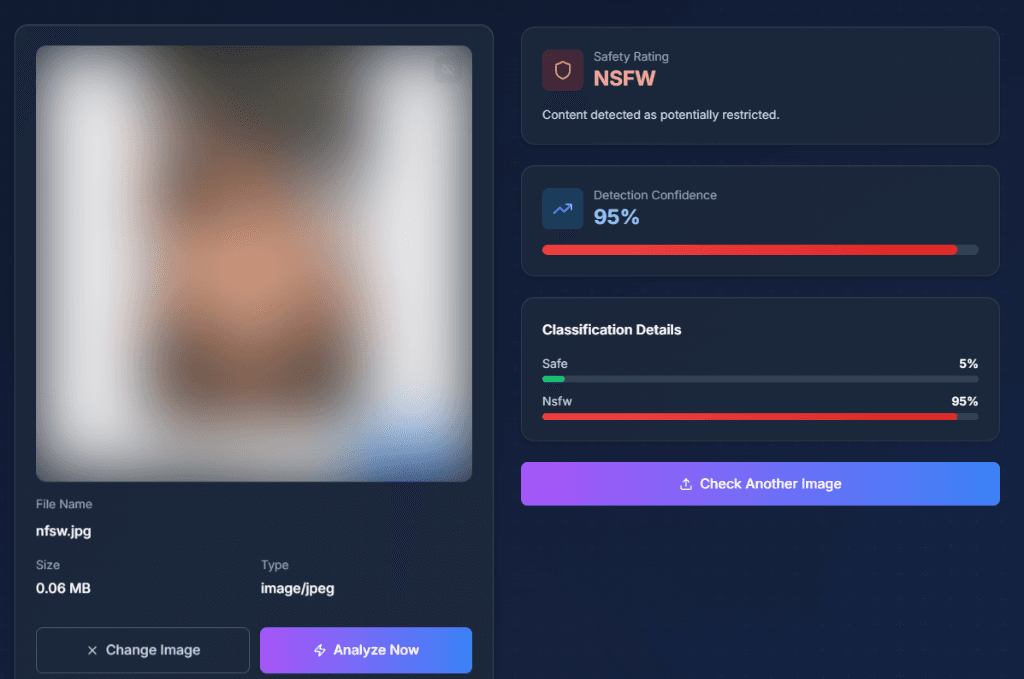
Simple NSFW detectors use binary classification — an image is either "safe" or "not safe." More sophisticated systems, including our NSFW Checker, use multi-class classification that provides a nuanced spectrum of safety ratings. Common classification categories include: Safe (appropriate for all audiences), Suggestive (may not be appropriate for all contexts but not explicit), NSFW (explicit content not suitable for general audiences). Each category receives a confidence score, allowing platform operators to set their own thresholds based on their content policies.
Vision-Language Models for Contextual Understanding
Traditional CNNs classify images based purely on visual patterns, which can lead to false positives — a medical anatomy textbook illustration might be flagged as NSFW, or a photograph of a beach may trigger warnings due to skin tone detection. Advanced vision-language models address this limitation by understanding the context of visual content. They can distinguish between clinical medical imagery and explicit content, recognize that a museum photograph of a classical sculpture is artistic rather than inappropriate, and understand that swimwear in a beach context is different from lingerie in an intimate setting. DuplicateDetective leverages these contextual AI models to provide more accurate and nuanced content classifications.
Real-World Applications of NSFW Detection
Social Media and User-Generated Content Platforms
Every major social media platform — Facebook, Instagram, Twitter/X, TikTok, Reddit — uses AI-powered NSFW detection as a first line of defense in their content moderation pipeline. When a user uploads an image, it is automatically analyzed before being made visible to other users. Images flagged as potentially NSFW are either blocked entirely, age-gated, blurred with a content warning, or routed to human moderators for review. This automated pre-screening is essential because platforms receive millions of uploads per hour, making purely human moderation impractical.
E-Commerce and Marketplace Safety
Online marketplaces like Amazon, eBay, and Etsy must ensure that product listings comply with their content policies. NSFW detection is applied to product photos, seller avatars, and custom merchandise previews. A T-shirt printing service, for example, needs to automatically screen custom designs to prevent printing explicit or offensive content. Similarly, advertising networks use NSFW detection to prevent inappropriate ads from appearing alongside brand-safe content.
Enterprise Email and Communication Security
Corporate IT departments deploy NSFW detection as part of their data loss prevention (DLP) and communication compliance systems. Image attachments in emails, messages in enterprise chat platforms, and files uploaded to shared drives can be automatically scanned to maintain workplace standards and ensure compliance with harassment policies.
Personal Safety and Parental Controls
NSFW detection powers many child safety tools and parental control apps. By analyzing images in real-time across browsing activity, messaging apps, and social media, these tools can alert parents or guardians when a child encounters inappropriate content. Some devices and browsers have built-in NSFW detection that can blur explicit images before they are displayed.
Content Moderation Best Practices
- •Layer automated detection with human review. AI should be the first filter, but edge cases and appealed decisions should always be reviewed by trained human moderators who can apply contextual judgment.
- •Set appropriate confidence thresholds. A children's education platform should have stricter thresholds (flagging anything above 30% NSFW confidence) than an adult-oriented art community (perhaps only flagging above 80%).
- •Provide transparent appeals processes. False positives will occur. Having a clear, fast process for users to appeal incorrect classifications maintains trust in the platform.
- •Consider cultural context. Norms around nudity, dress, and acceptable imagery vary significantly across cultures and legal jurisdictions. Global platforms need to account for these differences in their moderation policies and model training.
Frequently Asked Questions
How accurate is NSFW detection AI?
Modern NSFW detectors achieve accuracy rates above 95% for clear-cut cases (obviously safe or obviously explicit). Accuracy drops for borderline content — suggestive but not explicit imagery, artistic nudity, and medical content. This is why multi-class classification with confidence scores is more useful than simple binary "safe/unsafe" labels; it gives the operator additional context for making final decisions.
Does the NSFW checker work on all types of images?
The checker works on photographs, digital art, illustrations, and screenshots. It supports JPEG, PNG, and WebP formats up to 10MB. For best results, provide clear, un-blurred images. Very low-resolution images (under 100x100 pixels) may produce less reliable results because the AI model has insufficient visual information to analyze.
Are my images stored or used for training?
No. Images uploaded to DuplicateDetective's NSFW Checker are not stored permanently — they are automatically and permanently deleted within 72 hours (3 days) of upload. We never use uploaded images to train AI models. Your privacy and data security are our top priority.
Can I use this for moderating my website or app?
DuplicateDetective's NSFW Checker is designed for individual image analysis. If you need to integrate NSFW detection into your application or website's content moderation pipeline, consider dedicated AI moderation APIs like Google Cloud Vision SafeSearch, Amazon Rekognition Content Moderation, or open-source solutions like NSFWJS. These provide programmatic access for automated, high-volume scanning.
Written by Vipin S. — Associate Manager at a leading global technology firm with expertise in digital trust and safety, content moderation systems, and enterprise risk mitigation.
Last updated: February 2026 • About the author • Related: How NSFW AI Filters Work