How AI Image Detection Works: The Science Behind Identifying AI-Generated Images
The rapid advancement of generative artificial intelligence has made it possible to create photorealistic images that are increasingly difficult for the human eye to distinguish from genuine photographs. Tools like Midjourney, DALL·E 3, Stable Diffusion, and Flux can generate images of people who do not exist, events that never happened, and scenes that look entirely authentic. This explosion of synthetic media has created an urgent need for reliable AI image detection technology — and understanding how it works is essential for anyone navigating the modern digital landscape.
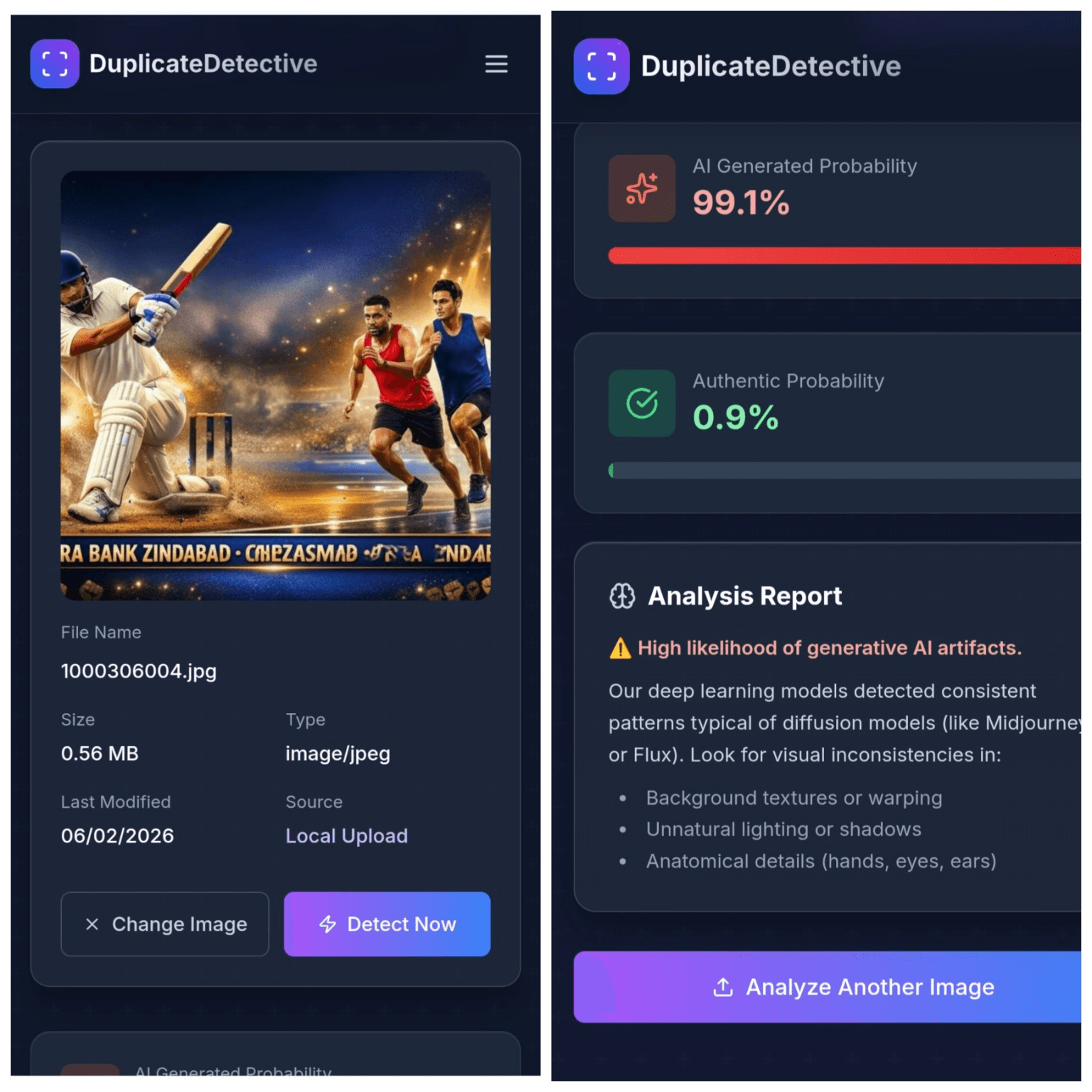
DuplicateDetective's AI Image Detector uses advanced vision-language models to analyze uploaded images and determine whether they were created by AI or captured by a real camera. But how does this technology actually work, and what are its limitations? This guide explores the science, methods, and practical considerations behind AI-generated image detection.
The Technical Foundation: How AI Detection Models Work
AI image detectors work by analyzing visual patterns that distinguish AI-generated images from photographs. These detectors come in two broad categories: artifact-based detection and statistical detection.
Artifact-Based Detection
Early generative AI models produced telltale visual artifacts — malformed hands with extra fingers, asymmetric earrings, text that dissolves into nonsensical characters, or backgrounds that blur unnaturally at the edges. Artifact-based detectors are trained to recognize these specific failure patterns. While effective against older models like DALL·E 2 and early Stable Diffusion, this approach becomes less reliable as generative models improve. Newer models like Midjourney v6 and Flux produce far fewer obvious artifacts, making this detection method increasingly challenging.
Statistical and Frequency Analysis
A more robust approach examines the statistical properties of an image at a level invisible to the human eye. Real photographs captured by cameras contain specific noise patterns introduced by the image sensor — every camera model produces a unique "fingerprint" of sensor noise. AI-generated images lack this camera-specific noise signature. Additionally, the frequency spectrum of AI-generated images — how detail is distributed across different spatial scales — differs from real photographs. AI images tend to have unusual patterns in their high-frequency components (fine details and textures), which statistical detectors can identify even when the image looks perfect to a human viewer.
Vision-Language Model Analysis
The most advanced detection approach — and the one DuplicateDetective employs — uses large vision-language models (VLMs) that can understand both the visual content of an image and describe what they observe in natural language. These models have been trained on massive datasets of both real and AI-generated images. When analyzing an image, they evaluate multiple factors simultaneously: consistency of lighting and shadows, plausibility of reflections, natural texture variation, anatomical correctness of humans and animals, and overall coherence of the scene. The model then provides a confidence score along with a detailed explanation of what it found, making the detection result interpretable and actionable.
Common Signs of AI-Generated Images
While AI detection tools provide scientific analysis, understanding the visual signs of AI generation helps you develop your own critical eye. Here are the most common indicators to look for:
- •Hands and fingers: Despite improvements, AI still struggles with hands. Look for fingers that merge together, extra digits, fingernails at wrong angles, or hands that do not interact naturally with objects they are holding.
- •Text and lettering: AI-generated text within images often contains misspelled words, characters from mixed scripts, or letters that morph into abstract shapes. Signs, book covers, and clothing logos are common failure points.
- •Symmetry and consistency: Check for asymmetric jewelry (different earrings, mismatched shirt collar points), inconsistent patterns in fabrics, and teeth or hair that look unnaturally uniform.
- •Background coherence: Examine the background carefully. AI images often have backgrounds that dissolve into vague, dream-like shapes when you look closely. Architectural elements may have impossible geometry — stairs that lead nowhere, windows at different scales, or railings that merge into walls.
- •Skin texture: AI-generated faces often have unnaturally smooth skin, particularly in older subjects. Real skin has pores, fine wrinkles, and subtle color variations that AI sometimes over-smooths into a plastic-like appearance.
Why AI Image Detection Matters
Combating Misinformation
AI-generated images are increasingly used to spread misinformation. Fake photographs of political figures, fabricated disaster scenes, and synthetic "evidence" of events that never occurred can go viral on social media within hours. AI detection tools provide a critical line of defense for journalists, fact-checkers, and ordinary citizens who want to verify what they see online before sharing it.
Protecting Academic and Professional Integrity
In academic publishing, scientific journals are grappling with an influx of papers containing AI-generated images — from fabricated microscopy data to synthetic graphs. In professional contexts, AI-generated headshots and fake portfolio work can be used to misrepresent qualifications. Detection tools help institutions and employers verify the authenticity of visual materials.
Legal and Forensic Applications
Courts and legal teams are beginning to use AI detection tools when photographic evidence is presented. As deepfakes become more sophisticated, the ability to scientifically demonstrate whether an image is authentic or synthetic can be crucial in legal proceedings, insurance claims, and law enforcement investigations.
Limitations and Honest Caveats
No AI detection tool is 100% accurate. The field of AI image generation and detection is an arms race — as generative models improve, detection becomes harder. Here are important limitations to be aware of:
- ⚠Heavily edited real photos may be flagged as AI-generated because aggressive filtering and manipulation can remove the natural camera noise signature that detectors rely on.
- ⚠Compression degrades accuracy. Images that have been heavily compressed (low-quality JPEG) lose both the AI artifacts and the camera noise patterns, making detection more difficult.
- ⚠Hybrid images — real photographs with AI-generated elements composited in — are particularly challenging to detect and may show mixed results.
Frequently Asked Questions
Can this detector identify which AI model created an image?
Our detector focuses on determining whether an image is AI-generated or real, providing a confidence percentage. While the detailed analysis may mention likely generation methods based on visible patterns (for example, characteristics typical of diffusion models), precise attribution to a specific model like Midjourney vs. Stable Diffusion is not guaranteed and is an active area of research.
How do I interpret the confidence score?
A score above 80% in either direction (AI-generated or real) is considered high confidence. Scores between 40% and 60% indicate the image has characteristics of both real and AI-generated content — this often happens with heavily edited photographs or with the very latest generation models. In these ambiguous cases, the detailed analysis report provides the most useful information.
Is this tool free to use?
Yes, DuplicateDetective's AI Image Detector is completely free to use. There are no limits on the number of images you can analyze, no registration required, and no hidden fees. The tool runs analysis using cloud-based AI models, and results are typically available within 10-30 seconds depending on server load.
Written by Vipin S. — Associate Manager at a leading global technology firm with 10+ years of experience in digital risk mitigation and AI systems architecture.
Last updated: February 2026 • About the author • Related: How to Check If an Image Is AI-Generated